How to Fill Out Customs Forms for International Shipping (CN22, CN23, PS Form 2976)
Learn how to correctly fill out customs declaration forms for international shipping. Step-by-step instructions for CN22, CN23, and PS Form 2976 — plus common mistakes that cause delays at customs.
Shipping a package overseas? Every international shipment leaving the United States requires a customs declaration form. These forms tell customs authorities in the destination country exactly what is inside your package, how much it is worth, and where it came from. Fill one out incorrectly — or leave key fields blank — and your shipment could be delayed for weeks, returned to sender, or even destroyed.
At City Post Express, we handle customs paperwork for every shipment we process through our ocean freight and air freight services. But if you are shipping independently through USPS or another parcel carrier, you will need to complete the forms yourself. This guide walks you through each form type, field by field, so your package clears customs without a hitch.
What Is a Customs Declaration Form?
A customs declaration form is an official document attached to any international shipment. It serves as a passport for your package, declaring its contents, value, origin, and purpose. Customs authorities in the receiving country use this information to:
- Screen for prohibited or restricted goods
- Calculate any applicable import duties and taxes
- Verify that the shipment complies with local import regulations
- Assign the correct Harmonized System (HS) tariff codes
- Customs Clearance for International Shipping: Complete Guide
Without a properly completed customs form, your package simply will not move through international mail systems. Every major carrier — USPS, FedEx, UPS, and DHL — requires one for cross-border shipments.
CN22 vs. CN23: Which Customs Form Do You Need?
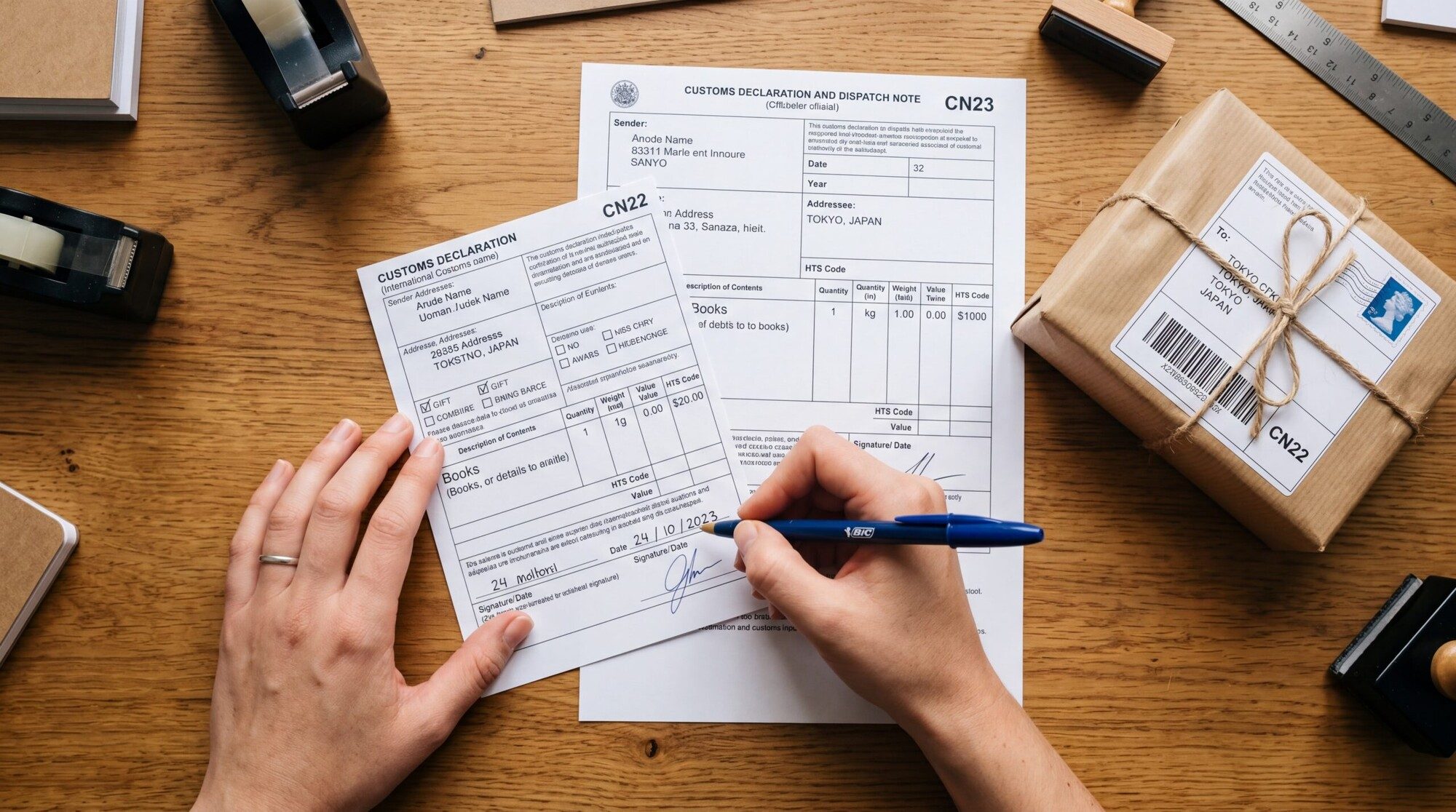
The two most common customs forms for postal shipments are the CN22 and CN23. Both are standardized by the Universal Postal Union (UPU), which means they follow the same format whether you are shipping from the United States, the United Kingdom, or Australia.
CN22 (Small Customs Declaration)
The CN22 is a small green label used for low-value shipments. You will use this form when:
- The total value of your package contents is under $400 (or the equivalent threshold set by the destination country — for example, £270 in the United Kingdom)
- You are sending via First-Class Package International Service or similar economy mail classes
- The package contains common goods like clothing, books, or small gifts
The CN22 is a simplified form. It asks for a brief description of contents, declared value, weight, and whether the shipment is a gift, commercial sample, document, or merchandise.
CN23 (Customs Declaration)
The CN23 is the more detailed customs declaration form, required when:
- The total declared value exceeds $400 (or the destination country’s threshold)
- You are shipping via Priority Mail International or Priority Mail Express International
- The destination country specifically requires a CN23 regardless of value
The CN23 requires more granular information: individual item descriptions, quantities, weights, values, HS tariff codes, and the country of origin for each item in the package. It also includes fields for the sender and recipient’s full contact details, a commercial invoice reference, and instructions for non-delivery (return or abandon).
PS Form 2976 (USPS Customs Forms)
If you are shipping through USPS, you will encounter PS Form 2976 and its variants. USPS has consolidated its customs process so that when you use Click-N-Ship or the Customs Form Online tool, the system automatically generates the correct form based on your mail class and package value. The key variants are:
- PS Form 2976 (CN22 equivalent) — Used for lower-value shipments via First-Class Package International
- PS Form 2976-A (CN23 equivalent) — Used for higher-value shipments and Priority Mail International services
- PS Form 2976-R — A scannable form you fill out at the Post Office counter, which the clerk uses to generate your customs label
How to Fill Out a Customs Form: Step by Step
Regardless of which specific form you use, the required information follows the same general structure. Here is how to complete each section correctly.
Step 1: Sender Information
Enter your full legal name (or business name), complete street address, city, state, ZIP code, country, phone number, and email address. Do not use abbreviations. Customs authorities need to be able to contact you if there is an issue with the shipment.
Step 2: Recipient Information
Provide the recipient’s full name, complete address (including postal code), country, and contact phone number. Double-check spelling — an incorrect address is one of the most common reasons packages are returned. If you are shipping to destinations like Ireland or the UK, make sure you use the correct postal code format (Eircode for Ireland, full postcode for the UK).
Step 3: Content Description
This is the field where most mistakes happen. You must describe every item in the package with enough detail that a customs officer can identify it without opening the box. The description must make clear:
- What the item is (specific product, not a category)
- What it is made of (material composition)
- What it is used for (its purpose)
For example:
| Unacceptable Description | Acceptable Description |
|---|---|
| Clothes | Men’s cotton t-shirts (3 units) |
| Electronics | Wireless Bluetooth headphones |
| Gift | Scented soy candle, glass jar |
| Food | Organic ground coffee, 12 oz bag |
| Toys | Wooden building blocks set for children |
As of recent regulatory updates, customs authorities worldwide — particularly in the EU — have tightened requirements for item descriptions. Vague or generic descriptions will result in your package being rejected, returned, or held indefinitely.
Step 4: Quantity and Value
List the quantity of each item separately along with its value in US dollars. If you are sending three t-shirts worth $15 each, enter a quantity of 3 and a total value of $45 for that line item. Be honest about values — undervaluing items to help your recipient avoid duties is considered customs fraud and can result in fines, seizure, or a ban on future shipments.
Step 5: Weight
Enter the total gross weight of the package, including packaging materials. Specify whether you are using pounds or kilograms. For CN23 forms, you may also need to list the net weight of individual items.
Step 6: HS Tariff Code
Harmonized System (HS) codes are internationally standardized numerical codes that classify traded goods. Many carriers, including USPS, will assign HS codes for you based on your item descriptions. However, if you are filling out forms manually, you can look up the correct code at the U.S. International Trade Commission website or the USPS HS Code lookup tool.
Step 7: Country of Origin
This refers to the country where the product was manufactured or produced — not the country you are shipping from. A laptop assembled in China but shipped from New York still has China as its country of origin.
Step 8: Content Type and Non-Delivery Instructions
Select the appropriate content type from the options provided:
- Gift — Items sent without commercial purpose
- Merchandise/Sale of Goods — Commercial orders
- Commercial Sample — Product samples sent to potential buyers
- Documents — Paperwork, contracts, or printed materials
- Returned Goods — Items being sent back to the original seller
You will also need to specify what should happen if the package cannot be delivered: return to sender (recommended) or treat as abandoned.
Common Mistakes That Cause Customs Delays
Having processed hundreds of international shipments at City Post Express, we see the same errors repeatedly. Avoid these to keep your package moving:
- Vague item descriptions. Writing “stuff,” “goods,” or “miscellaneous” guarantees a delay. Be specific about every item.
- Undervaluing contents. Even if your recipient asks you to declare a lower value, do not do it. Customs officers are trained to spot undervaluation, and the penalties far outweigh any duty savings.
- Missing or incorrect addresses. An incomplete postal code or misspelled street name can result in your package bouncing between sorting facilities for weeks.
- Wrong country of origin. Listing the shipping country instead of the manufacturing country is a common mistake that can trigger additional inspections.
- Forgetting to sign the form. An unsigned customs declaration is invalid. Digital forms handle this automatically, but if you are filling out a paper form at the Post Office, do not skip the signature field.
- Not attaching the form properly. The customs form must be clearly visible on the outside of the package. Use a transparent plastic pouch or secure it with clear packing tape so the barcode remains scannable.
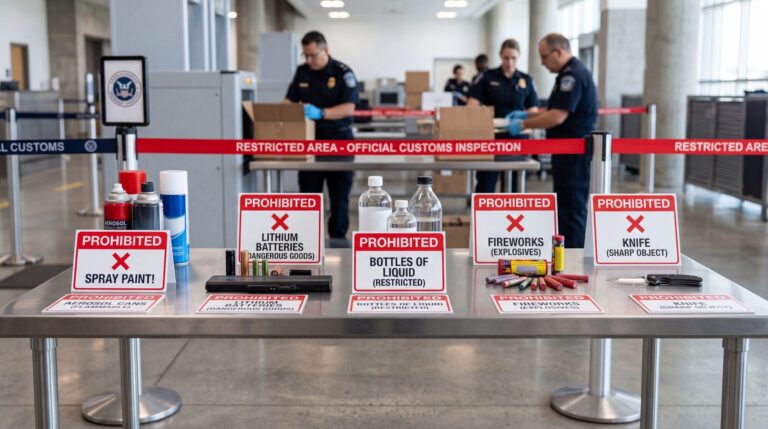
- Shipping prohibited items. Every country maintains a list of restricted and prohibited imports. Check the destination country’s specific rules before shipping. USPS provides individual country listings with detailed import restrictions.
Can You Fill Out Customs Forms Online?
Yes. In fact, filing customs forms digitally is now the preferred method for most carriers:
- USPS: Use Click-N-Ship to generate shipping labels with integrated customs forms, or use the Customs Form Online tool to print just the customs form.
- FedEx: The FedEx Ship Manager generates customs documentation automatically when you create an international shipment.
- UPS: UPS WorldShip and the UPS online portal handle customs paperwork as part of the label creation process.
Digital forms reduce errors because the system validates your entries before printing. They also automatically assign HS codes based on your descriptions, which saves time and improves accuracy.
Skip the Paperwork: Let City Post Express Handle Customs for You
Customs forms are manageable when you are shipping the occasional package. But if you are sending regular shipments overseas — whether personal effects, household goods, or commercial cargo — the paperwork adds up fast.
At City Post Express, we prepare all customs documentation as part of our ocean freight and air freight services. Whether you are shipping boxes to family in Ireland, relocating belongings to the United Kingdom, or sending commercial goods internationally, our team handles the customs declaration forms, HS code classification, and regulatory compliance so you do not have to.
Get in touch for a free quote, or explore our full range of shipping services to find the right option for your next international shipment.
Related Reading
Ready to Ship?
Get a free, no-obligation quote for your move. Door-to-door service with customs clearance included.
Get a Free Quote